
How to access olx88 on mobile
We offer three paths to reach olx88 on your mobile device. The first is our Android APK, a direct download that installs our app without routing through the Google Play Store—useful if you are in a region where app-store listings face restrictions. The second is our iOS browser experience, optimized for Safari and Chrome on iPhones and iPads, which requires no installation and updates automatically. The third is our responsive web app, accessible from any modern browser on Android or iOS, which caches key game data locally so you can browse your account and view live-dealer schedules even on intermittent connections.
Installation walkthrough
- Download the olx88 APK file (Android) or open our web app link in Safari or Chrome (iOS / web).
- Follow the on-screen prompts to install the app or bookmark the web shortcut to your home screen.
- Create your olx88 account or log in with your existing username and password.
- Verify your identity using our KYC process, then deposit via DANA, e-wallet, mobile banking, local payment, or bank transfer to start playing.
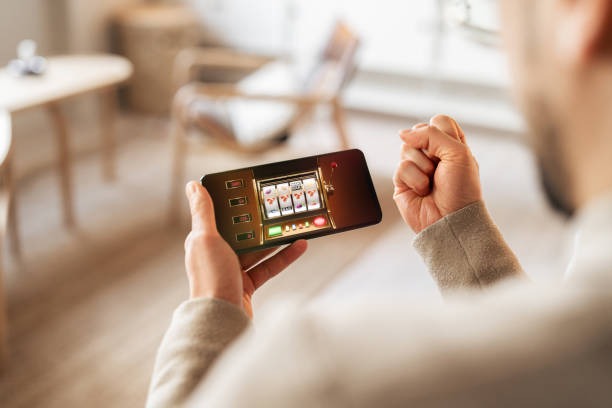
App versus browser: what you gain
Our dedicated app stores game data locally, so live-dealer table schedules and your account balance load faster even on slower connections. Push notifications alert you to new Liga 1 fixtures or bonus credits without cluttering your phone's notification panel—you control the frequency. The app also handles certificate pinning, a security layer that prevents man-in-the-middle attacks on public WiFi. Browser access offers the same core features but requires a fresh connection each time, which can be slower on 3G or congested networks. Both paths encrypt your login session and payment details identically; the choice comes down to speed and convenience.
Device compatibility
We support Android 7.0 and later on the APK, and iOS 12.0 and later on Safari and Chrome. If your device runs an older version, you can still access olx88 through our web app, though some features like offline account browsing may not function. We regularly test on mid-range and budget devices to ensure the app performs smoothly even on phones with limited RAM or storage.
Troubleshooting common installation issues
If the APK fails to install, check that your device allows installation from unknown sources—this is a security setting in Android's app permissions. If you see a certificate warning on iOS, this is normal for our self-signed development certificates; tap "Trust" to proceed. If the app crashes on launch, clear your browser cache or reinstall the APK. If you cannot log in after installation, verify that your username and password are correct, and check that your account has passed our KYC verification. Our support team can assist with account recovery or device-specific issues during standard business hours.

Data, permissions, and account security
The olx88 app requests permission to access your device's camera and microphone only if you choose to use our live-chat support feature. We do not access your contacts, photos, or location data. All communication between your device and our servers is encrypted using TLS 1.2 or later. Your login credentials are never stored on your device in plain text; we use secure token-based authentication so that even if your phone is lost, an attacker cannot access your account without your password. We recommend enabling two-factor authentication on your olx88 account if you use public WiFi frequently. Your payment information is processed through PCI-compliant payment gateways and is never stored on our servers after a transaction completes.